Voice
Introduction
Voice is another form of input for the JioGlass device. It allows users to carry out interactions directly by using their voice without the need to use a controller. Voice can be a natural way of communicating your intent. Traversing complex interfaces is an example where voice interactions can solve issues relating to traversing through multiple menus by replacing them with one voice command. It works with the detection of hot words which are specific keywords chosen to activate the interface. The JMR Voice Manager is responsible for managing the speech events and their respective functionalities.
Framework
JMRVoicemanager: responsible for managing the speech event
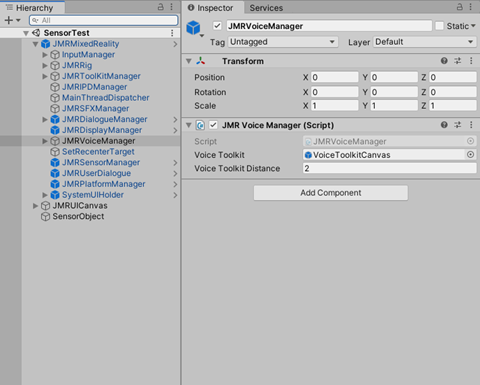
| Event | Description |
|---|---|
| OnInit | Called when VoiceManager initialized |
| OnSpeechEvent | Called when any speech event happens |
| OnSpeechResults | Called when getting speech result |
| OnSpeechPartialResults | Called when getting partial speech result |
| OnSpeechIntents | [RM1] Called when getting speech intents |
| OnSpeechError | Called when any speech error occurs |
| OnSpeechCancelled | Called when speech cancelled |
| OnSpeechSessionEnd | Called when the speech ended |
| OnHotwordDetected | Called when any hot keyword detected |
OnSpeecIntents description empty [RM1] [RM1]