Laser Point Not Visible
Laser Pointer not visible fix
If Pointer does not appear after importing, please follow the steps given in LaserRayFix
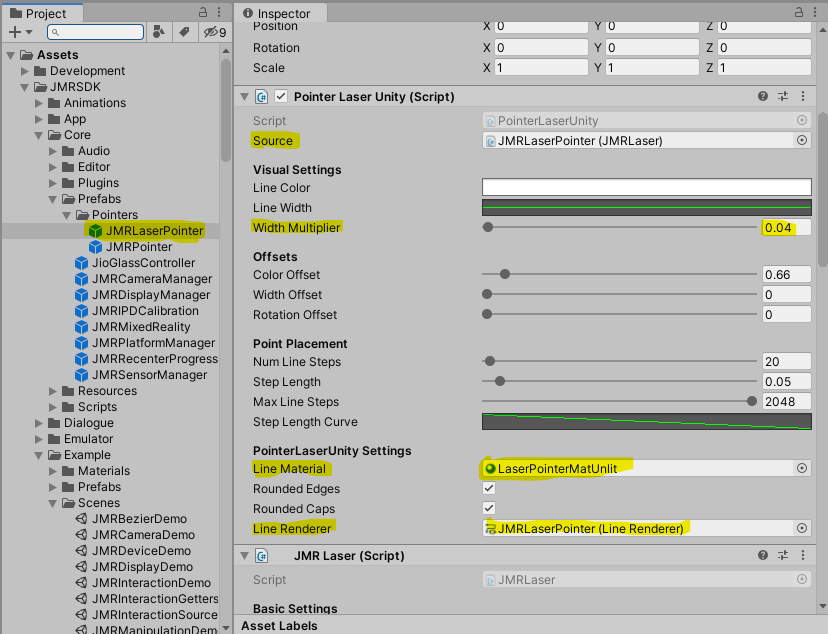
Go to Asset > JMRSDK > Core > Prefabs > Pointers > JMRLaserPointer and check in the inspector.
- Set LineMaterial to LaserPointerMatUnlit
- Set Line Renderer to JMRSDK > Core > Prefabs > Pointers > JMRLaserPointer.
- Set Width Multiplier to 0.04.
- Set Line Number Steps to 20.
See also: